
Entry draft
$0.85
5s · 480p
DREAMINA / BYTEDANCE CURRENT-GEN MODEL
Native audio, 4K-capable output, multi-shot continuity, and reference-guided video for polished ads, launches and cinematic branded content.
Use Seedance 2.0 when you need the current Dreamina Seedance production route: stronger continuity than older versions, 480p/720p/1080p/4K output, native audio in the same generation flow, and multimodal references for text-to-video or image-to-video work.
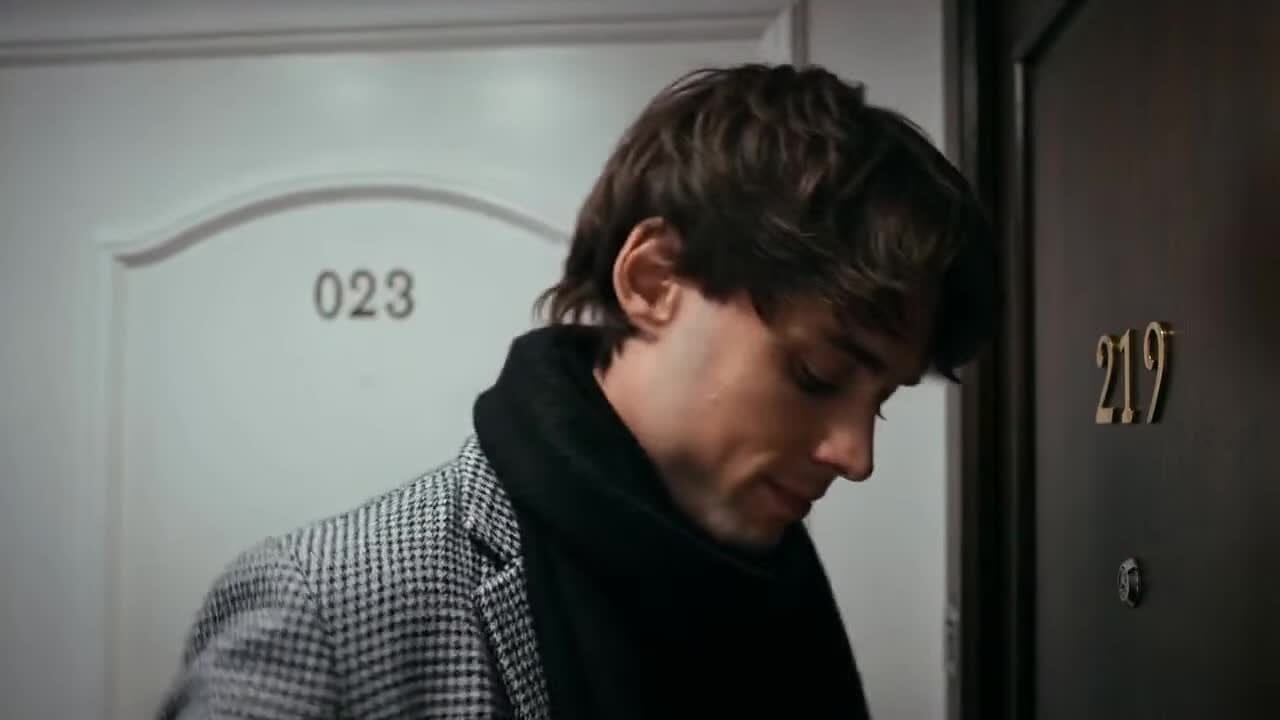
Seedance 2.0 example
Native-audio cinematic sequence
Native audio
Dialogue, ambience and SFX generated in sync.
Multi-shot continuity
Keep characters, style and scene continuity across short sequences.
Reference-guided
Use supported references to guide the output.
Up to 4K
Use 480p, 720p, 1080p, or 4K on the standard Dreamina Seedance route.
Max 15s
Up to 15 seconds per generation.
Pay-as-you-go
See exact live price before you generate.
Preset 720p, 1080p, and 4K totals - see the exact live price in the app before you generate.
$0.85
5s · 480p
$3.03
8s · 720p
$9.36
Most popular10s · 1080p
$9.73
Native 4K
$0 extra
Native audio included
15s
Up to 4K
All prices are MarkDream display prices in USD credits for preset scenarios.
Use this gallery to review prompt patterns, scene structure, and the kinds of beats Seedance 2.0 handles well inside MarkDream.
See what's possible with Seedance 2.0 — current Seedance model for multi-shot video and native audio.
Jump into the app with one click and reuse the setup.
Dialogue, ambience and SFX generated in sync.
Keep characters, style and scene consistency across sequences.
Built-in guardrails and safety filters for responsible review.
Use Seedance 2.0 for final-quality, native-audio, multi-shot work. Use Fast for cheaper draft passes and timing tests.
Seedance 2.0 is the current route for stronger multi-shot continuity, native audio and broader reference workflows.
Start with text-to-video, image-to-video, reference-guided and multi-shot prompt templates.
Seedance 2.0 works best when the brief is ordered and the workflow is explicit. Start with Subject -> Action -> Camera -> Style, then decide whether the shot should stay prompt-led, use a start/end image pair, or lean on multimodal references.
Source: Official Seedance 2.0 page
Use the prompt for the scene brief: subject, action, camera, style and audio cues.
Use images to guide identity, product details, style, composition or environment.
Use video references for motion rhythm or camera pacing when the active route exposes them.
Use audio references for rhythm, ambience or mood when the active route exposes them.
Repeat wardrobe, props, location, lighting and final pose so short sequences stay coherent.
Use this when the shot starts from language, not from uploaded assets.
Subject:
[Who/what appears + 2-3 defining traits]

Action:
[One visible action or one timed beat]

Camera:
[Shot size + angle + one move + optional transition verb]

Style:
[Lighting + palette + texture / lens feel]

Audio:
[Ambience + 1-2 SFX cues + optional short dialogue]
A courier in a soaked yellow jacket sprints through a narrow alley at night. He jumps a puddle and looks back once. Camera: wide tracking shot into a short handheld close-up. Style: wet asphalt reflections, cold blue street light, subtle film grain. Audio: footsteps, distant siren, one short breathy line.
Subject: School bus mutating into a mechanical creature • Action: Dark absurd transformation on a deserted street
Camera: Wide cinematic shot with controlled motion • Style: Grounded American realism, horror-comedy tone
Audio: Uneasy ambience, metal movement, tension
Subject: School bus mutating into a mechanical creature
Action: Dark absurd transformation on a deserted street
Camera: Wide cinematic shot with controlled motion
Style: Grounded American realism, horror-comedy tone
Audio: Uneasy ambience, metal movement, tension
Best practices, common fixes, and important limitations to help you get the strongest results with Seedance 2.0.
Two routes, one series. Pick the right one for your stage.
View Seedance 2.0 Fast details →These side-by-side comparisons break down price, resolution, audio, speed, and motion style so you can pick the right engine fast.
Each page includes real outputs and practical best-use cases.
Create or clean a still image in Seedream before using it as a controlled reference for Seedance image-to-video.
Explore Seedream ->Use the faster Seedance version for draft passes, quick timing checks, and early concept loops before you move finals into the standard version.
Compare Seedance 2.0 vs Fast ->Use Mini as the lower-cost batch/value alternative for ecommerce, marketing, and UGC variants before standard Seedance 2.0 work.
See Seedance 2.0 Mini value route ->Compare Seedance 2.0 with LTX 2.3 when choosing between native-audio production work and lower-cost fast drafts.
Compare Seedance 2.0 vs LTX 2.3 ->Compare Seedance 2.0 against Veo 3.1 when you need another premium audio-native engine for ads, launches, and product motion.
Compare Seedance 2.0 vs Veo 3.1 ->Open Kling 3 Pro when you want a stronger emphasis on scene sequencing, shot control, and storyboard-style multi-prompt direction.
Compare Seedance 2.0 vs Kling 3 Pro ->The limits that shape your renders.
Provider/model-family notes describe Dreamina Seedance 2.0 as a unified multimodal audio-video model.
Provider/model-family notes highlight cinematic control, native audio, realistic physics, multi-shot cuts, and up to 15 seconds per generation.
Built-in safeguards and best practices for responsible creation with Seedance 2.0.
Seedance 2.0 is best for polished Seedance AI video workflows, multi-shot ads, branded sequences, audio-led scenes, and reference-guided production where continuity matters more than draft speed.
Yes. ByteDance documentation and Dreamina product naming describe the current API family as Dreamina Seedance 2.0. On MarkDream, this page remains the standard Seedance 2.0 route for final-quality work.
Yes. Seedance 2.0 supports native audio, including dialogue, ambience, music, and sound effects inside the same generation workflow.
Yes. The standard Dreamina Seedance 2.0 route supports 4K output. Seedance 2.0 Fast and Seedance 2.0 Mini remain capped below 4K.
Seedance 2.0 is the stronger current choice for final-quality multi-shot work, native audio, and more demanding reference-driven outputs, while Seedance 2.0 Fast is better for cheaper draft passes and quicker route comparisons.
Use Seedance 2.0 when you need stronger multi-shot continuity, broader reference workflows, and the current Seedance production path. Seedance 1.5 Pro still fits shorter, simpler older workflows.
Yes. Seedance 2.0 is specifically well suited to multi-shot outputs, guided transitions, and maintaining scene continuity across short cinematic sequences.